Fix Dark & Underexposed Photos Instantly
Brighten dark, underexposed photos with one click.
How it works
Drag & drop or browse. Stays on your device.
Instant quality analysis with specific issues.
One click corrects every detected issue.
Export at full resolution.
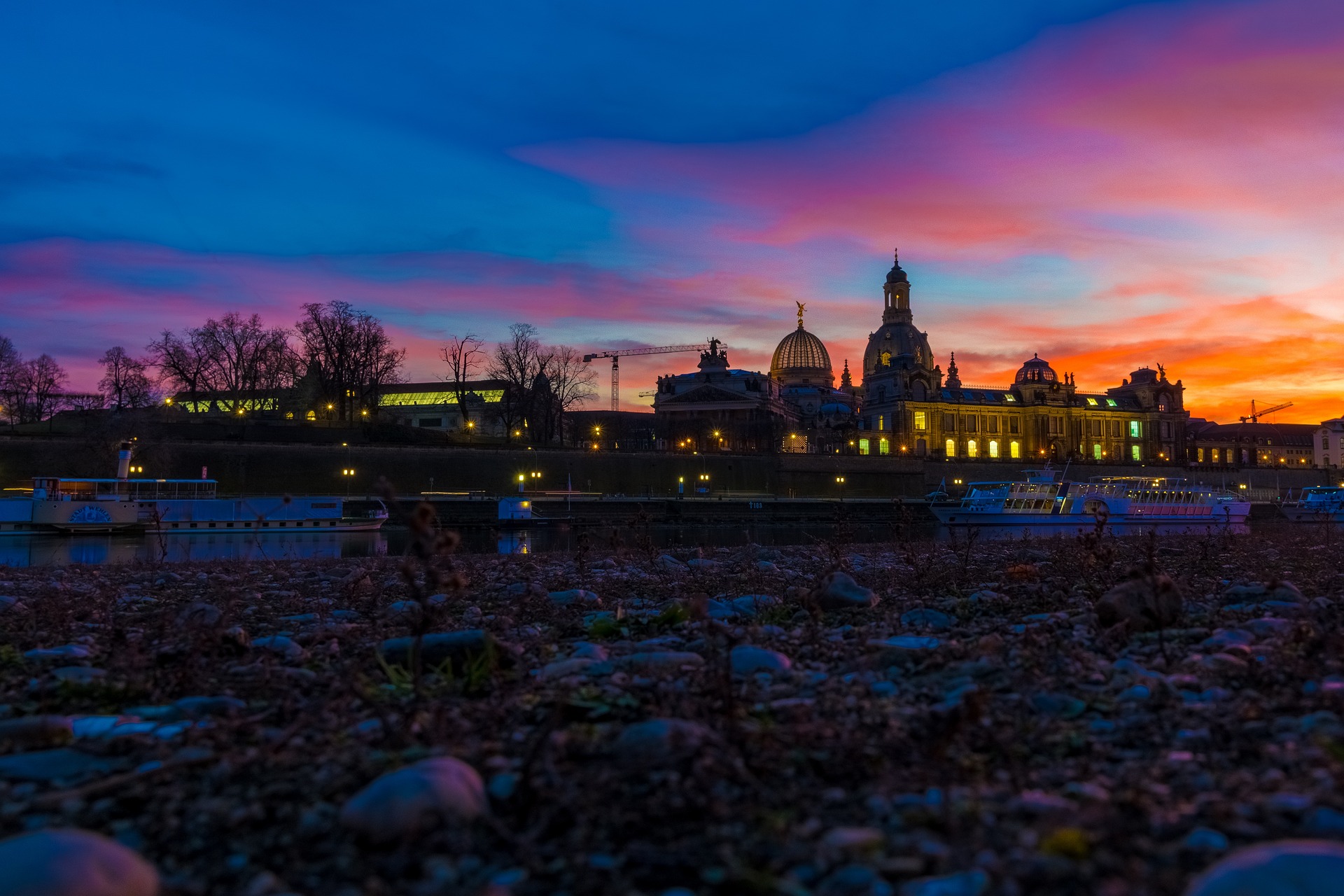
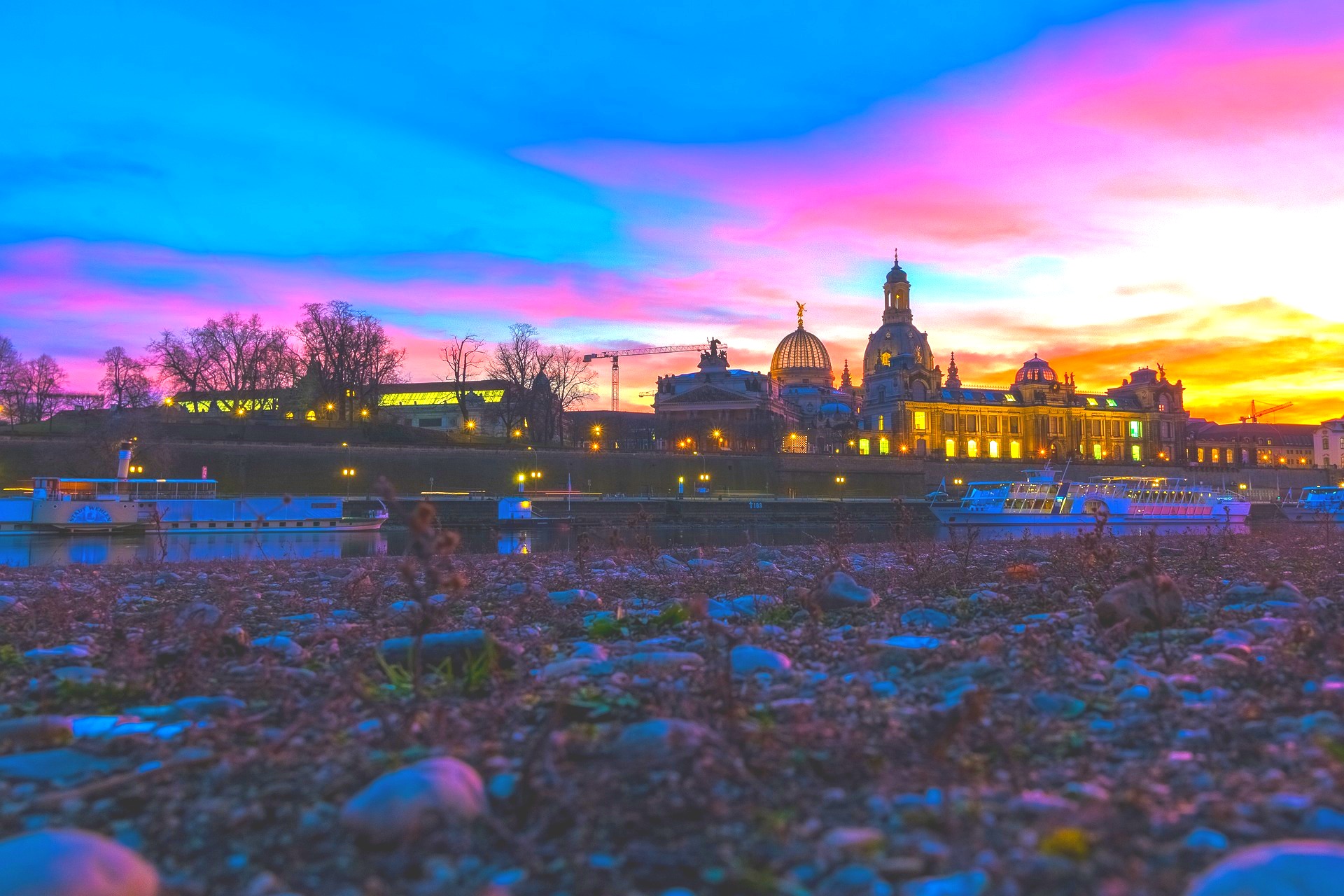
You captured that perfect sunset moment, but when you opened the photo, everything looked muddy and dark. The sky you remember being vibrant is nearly black. The details you saw with your own eyes have disappeared into shadow.
This is underexposure, and it’s one of the most common photo problems you’ll face. Your camera made a split-second decision about how much light to let in, and it got it wrong.
Why Photos Turn Out Too Dark
Your camera’s sensor can only capture a fraction of the light range your eyes can see. When you’re shooting at dusk or in mixed lighting, the camera has to guess which parts of the scene matter most.
Often, it chooses wrong. It protects the bright areas from blowing out and sacrifices everything else. The result? A photo where most of your scene is buried in darkness.
Night landscapes are especially tricky. Your eyes adapted to the low light and saw color and detail. Your camera sensor, limited by shutter speed and ISO settings, captured only a fraction of that information.
What Happens When You Brighten Dark Photos
When you fix a dark photo, you’re not just cranking up brightness across the board. That would turn your blacks gray and make the image look washed out.
Instead, you need to intelligently redistribute the light data that’s already there. You lift the shadows to reveal hidden detail, adjust exposure to bring the midtones into view, and fine-tune highlights so bright spots don’t blow out when everything else gets brighter.
This is where PhotoInput’s automatic analysis comes in. It reads your photo’s histogram to understand exactly where the light information lives, then calculates the precise adjustments needed to recover your image.
The Right Way to Fix Underexposed Photos
You’ve probably tried the brightness slider on your phone and been disappointed. The photo gets lighter, but it also gets flat and lifeless. That’s because brightness alone doesn’t solve the problem.
Professional photo correction involves multiple adjustments working together. You need exposure correction to shift the entire tonal range upward. Shadow recovery to pull detail out of the darkest areas. Contrast adjustment to maintain depth and dimension.
You also need saturation correction, because underexposed photos often look desaturated. When pixels are too dark, color information gets compressed and needs to be restored as you bring up the exposure.
PhotoInput handles all of this automatically. Upload your dark photo, and the tool analyzes exactly what went wrong and applies the right combination of adjustments to fix it.
Why Dark Photos Often Look Grainy
When you brighten an underexposed photo, you might notice grain or noise appearing, especially in the darker areas. This isn’t new damage you’re causing—it was always there, just hidden in the shadows.
Digital sensors generate more noise in low-light situations. When your camera underexposes, those noisy shadow areas take up more of your image than they should. Brightening the photo makes that noise visible.
PhotoInput’s enhancement includes intelligent sharpening that helps minimize the appearance of this noise while recovering detail. For photos with significant grain issues, you can also check out our guide on how to fix grainy photos.
Common Mistakes When Brightening Photos
The biggest mistake people make is pushing exposure too far. Yes, you want to see what was hidden in shadow, but if you brighten too aggressively, you’ll clip the highlights and create new problems.
Another common error is ignoring contrast. When you lift shadows and increase exposure, you compress the tonal range. You need to add contrast back to maintain depth, or your photo will look flat and dull.
Finally, many people forget about color. Underexposed photos need saturation adjustment to restore the color richness that was compressed when the image was too dark.
When Underexposure Meets Other Issues
Dark photos rarely travel alone. If your image was shot in low light with a high ISO, you’re dealing with both underexposure and grain. If the scene had minimal tonal variation to begin with, you might also have low contrast compounding the problem.
The good news is that fixing underexposure often improves these related issues. When you properly brighten an image, you expand the tonal range, which naturally increases contrast. Shadow recovery reveals texture that helps mask noise.
PhotoInput’s analysis detects all these issues together and applies adjustments that address them holistically, not in isolation.
Free, Private, Instant Results
PhotoInput fixes your dark photos without uploading them anywhere. All processing happens in your browser using your device’s GPU. Your photos never touch our servers or anyone else’s.
This isn’t just about privacy—it’s also about speed. There’s no waiting for uploads, processing queues, or downloads. You see results instantly, and you can fine-tune them if you want more control.
The tool is completely free. No trial periods, no watermarks, no account required. Upload your dark photo and fix it in seconds.
FAQ
How do I make a dark photo lighter?
The most effective approach combines exposure adjustment, shadow recovery, and contrast correction. PhotoInput analyzes your specific photo and applies the right balance of these adjustments automatically to brighten your image without washing it out.
Can you fix a photo that’s too dark?
Yes, as long as there’s image data in the shadows. If areas are completely black with zero information, there’s nothing to recover. But most underexposed photos retain detail in the shadows that can be revealed with proper exposure correction and shadow lifting.
Why is my photo darker than what I saw?
Your eyes have a much wider dynamic range than camera sensors and can adapt to low light in real time. Cameras must choose a single exposure setting for the entire scene, often resulting in darker images than what you perceived, especially in mixed lighting or low-light conditions.
How do I brighten a photo without losing quality?
Use exposure and shadow adjustments rather than just brightness, maintain contrast to prevent flatness, and avoid pushing adjustments so far that you clip highlights or reveal excessive noise. PhotoInput’s automatic enhancement calculates the maximum safe correction for your specific image.
Will brightening my photo make it grainy?
Brightening reveals noise that was already present but hidden in the dark areas. This is unavoidable with underexposed photos, but intelligent sharpening and contrast adjustment can minimize its appearance. Severely underexposed photos will show more grain when corrected.
Can I fix dark photos on my phone?
Yes, PhotoInput works on any device with a modern browser. All processing happens locally on your phone’s GPU, so there’s no quality loss from compression or cloud processing. Results are identical to desktop editing.
What’s the difference between brightness and exposure?
Brightness shifts all tones uniformly, which can make blacks look gray. Exposure mimics increasing the light that hit your camera sensor, redistributing tones while maintaining true blacks. Exposure correction produces more natural-looking results when fixing dark photos.