Fix Color Cast & White Balance Instantly
Remove orange, yellow, or blue color casts from photos with one click.
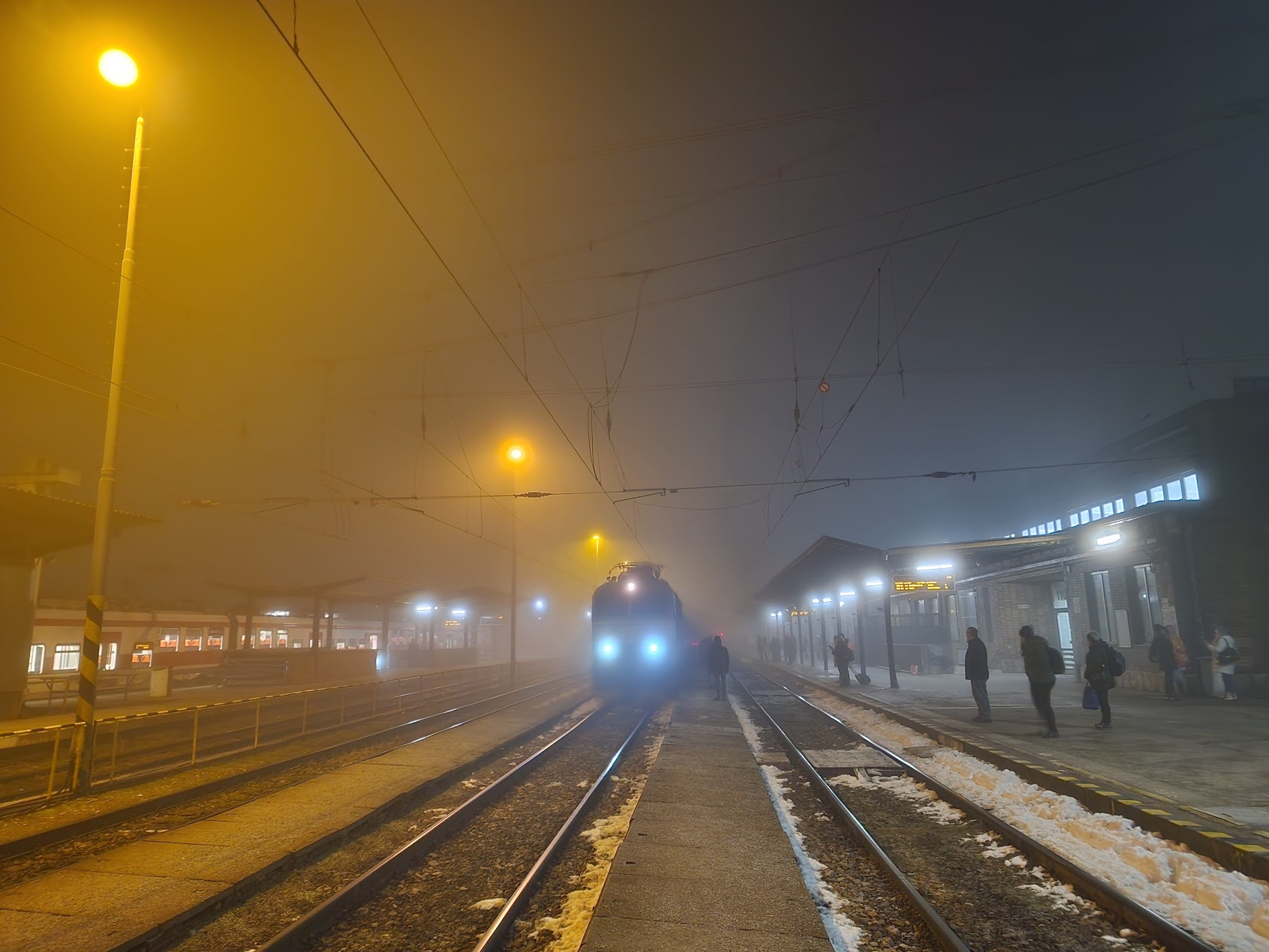
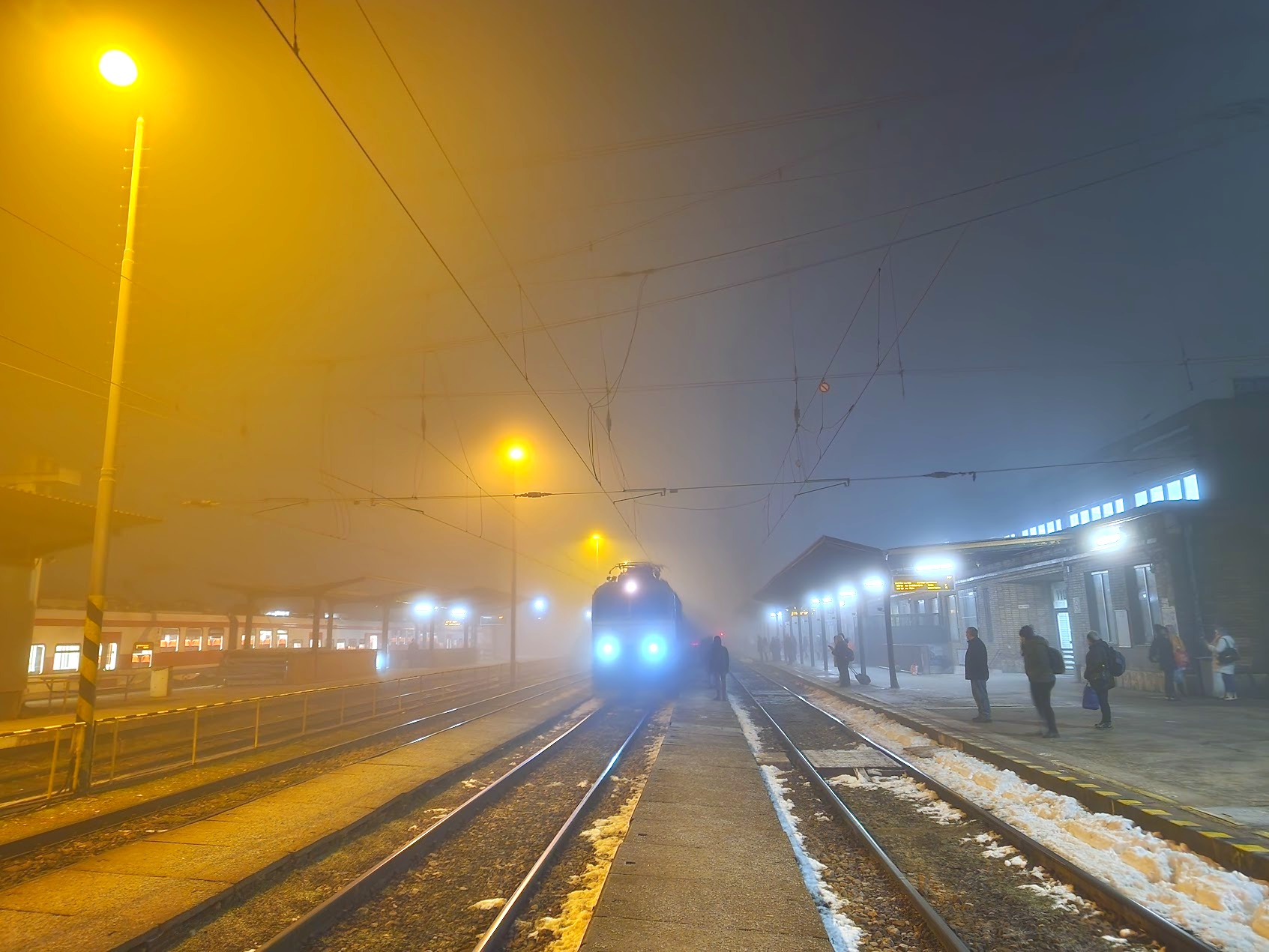
How it works
Drag & drop or browse. Stays on your device.
Instant quality analysis with specific issues.
One click corrects every detected issue.
Export at full resolution.
You took a great shot at dinner last night. The moment was perfect, everyone was laughing, the lighting felt warm and inviting. Then you look at the photo and everything is orange. Not just a little warm—full-on traffic cone orange.
That’s a color cast. And it happens because your camera made a guess about the lighting and got it wrong.
What Is a Color Cast?
A color cast is when your entire photo has an unwanted color tint. Usually orange or yellow from indoor lights, sometimes blue from shade or fluorescent bulbs. Your eyes adjust automatically to different light sources, but cameras aren’t that smart yet.
Your phone or camera has to pick a “white balance” setting that tells it what “white” should look like under that specific lighting. Indoor tungsten bulbs emit warm orange light. Outdoor shade is cool and blue. When the camera picks the wrong setting, everything in your photo shifts toward that color.
The result? Photos that look nothing like what you remember seeing.
Why Do Indoor Photos Turn Orange?
Most indoor lighting uses tungsten or halogen bulbs that emit light on the warm end of the spectrum. Think of a candle flame—that’s basically what these bulbs produce, just brighter.
Your brain compensates for this automatically. You look at a white tablecloth under restaurant lighting and see white, even though the light hitting it is actually orange. Your camera doesn’t have that ability.
When your camera’s auto white balance guesses wrong, it treats that orange light as if it were neutral daylight. Everything shifts warm. Skin tones turn unnaturally golden, whites become yellow, and the whole scene feels like it’s been dunked in honey.
How PhotoInput Fixes Color Casts
PhotoInput corrects color casts by adjusting your photo’s temperature setting—the same control professional editors use, but without the learning curve.
When you upload a photo with a color cast, our analysis detects the imbalance and applies targeted corrections. For warm casts (orange/yellow), we shift the temperature cooler. For cool casts (blue), we shift warmer. We also fine-tune exposure, contrast, and saturation to bring back natural-looking colors.
The best part? Everything happens in your browser. Your photo never uploads to a server. We use your device’s graphics processor to analyze and fix the image locally, then give you a corrected version you can download immediately.
No account required. No subscription. No photo ever leaving your device.
Common Color Cast Scenarios
Restaurant and bar photos: Warm tungsten lighting creates heavy orange/yellow casts. Especially bad when combined with dim lighting, which forces your camera to boost exposure and amplify the color shift.
Office and fluorescent lighting: Creates a greenish-blue cast that makes skin look sickly. Often mixed with natural light from windows, which confuses the camera even more.
Indoor events and parties: String lights, colored bulbs, and mixed light sources create chaotic color casts. One side of the photo might be orange, the other blue.
Shaded outdoor photos: Shade reflects blue light from the sky, creating a cool cast. Your subject looks cold and lifeless even on a beautiful day.
Sunset and golden hour: Sometimes the warm glow is intentional and beautiful. Other times it’s too much and overwhelms the scene. Subtle correction can preserve the mood while making colors more natural.
Beyond Temperature: What Else Gets Fixed
Fixing a color cast isn’t just about shifting temperature. Photos with color casts often have other issues that need correction at the same time.
Exposure adjustments: Color casts often appear in low-light situations where your camera underexposes the image. We brighten the photo without blowing out highlights.
Shadow recovery: Indoor lighting creates harsh shadows. We lift shadow detail so you can actually see what’s in the darker parts of your photo.
Contrast and saturation: Once the color balance is corrected, contrast and saturation usually need adjustment to make colors pop naturally instead of looking muddy.
Our one-click fix handles all of this together. You don’t have to understand what each slider does—just upload and download.
What Makes a Good White Balance Correction
The goal isn’t to make every photo look identical. It’s to make the photo look like what you saw with your eyes.
A well-corrected photo has neutral whites and grays. Skin tones look natural, not orange or blue. Colors are vibrant but believable. The mood of the scene is preserved—a cozy restaurant should still feel warm, just not radioactive orange.
Sometimes you want to keep a slight warm or cool tone for creative reasons. That’s fine. The point is control. You should choose the look, not have it forced on you by bad auto white balance.
Why Fix Color Casts Online Instead of Using Apps
Most photo apps either don’t have white balance tools at all, or they bury them under confusing manual controls. You end up dragging sliders with no idea what you’re doing, trying to eyeball the correction.
PhotoInput analyzes your photo and applies the right correction automatically. If you want to fine-tune it further, the manual controls are there. But most people just want the photo fixed without learning color theory.
And because everything runs in your browser, there’s no app to download, no account to create, and no waiting for uploads. Just open the page, drop your photo, and download the fix.
Try It Now
Upload your color-cast photo and see the corrected version in seconds. If you have dull colors or a dark photo after fixing the cast, we handle those too.
Your photos stay on your device. No accounts, no tracking, no watermarks. Just fixed photos.
FAQ
What causes color cast in photos?
Color cast happens when your camera’s white balance setting doesn’t match the actual lighting. Indoor tungsten lights create orange casts, fluorescent lights create green-blue casts, and shaded outdoor areas create blue casts. Your camera guesses the light temperature and sometimes gets it wrong.
Can you remove color cast without losing quality?
Yes. Color cast correction adjusts the color temperature data without degrading image quality. PhotoInput processes your photo at full resolution, so the corrected version has the same quality as the original.
How do I fix orange photos from indoor lighting?
Shift the color temperature toward blue to neutralize the orange cast. PhotoInput does this automatically when you upload an indoor photo with warm lighting. The tool detects the imbalance and applies the right temperature correction.
Is there a free tool to fix white balance online?
PhotoInput is completely free and fixes white balance issues with one click. Upload your photo, see the corrected version, and download it. No account required, and your photo never leaves your browser.
What’s the difference between color cast and tint?
Color cast refers to an overall orange/blue color imbalance (temperature), while tint refers to green/magenta imbalance. Most color cast issues are temperature-related, but some lighting (like fluorescents) adds both. PhotoInput corrects both automatically.
Can I fix color cast on my phone?
Yes. PhotoInput works in any modern mobile browser. Upload your photo, apply the fix, and download the corrected version directly to your phone. No app installation needed.
Why do my photos look orange in restaurants?
Restaurant lighting typically uses warm tungsten or halogen bulbs that emit orange-yellow light. When your camera’s auto white balance fails to compensate, the entire photo shifts orange. This is one of the most common color cast problems.
Does fixing color cast work on old photos?
Absolutely. Color cast correction works on any digital photo, regardless of age. If you have scanned film photos or old digital images with color imbalance, upload them and apply the fix.